Guide to Crawlability
How Search Engines and AI Crawlers Discover Your Website. Part of our Complete SEO Checklist Series
SEO
7/23/20265 min read


Imagine opening a new store in the busiest part of town—but locking the doors and covering the windows. It doesn't matter how beautiful the products inside are if nobody can find it.
The same principle applies to websites.
Before your pages can rank on Google, appear in Bing, or be cited by AI platforms like ChatGPT, Perplexity, or Claude, they must first be discovered and crawled.
This is where crawlability comes in.
Many businesses spend months improving content, building backlinks, and optimizing keywords, only to discover that search engines cannot properly crawl important sections of their website.
In this guide, you'll learn:
What crawlability is
How search engines crawl websites
How AI crawlers discover content
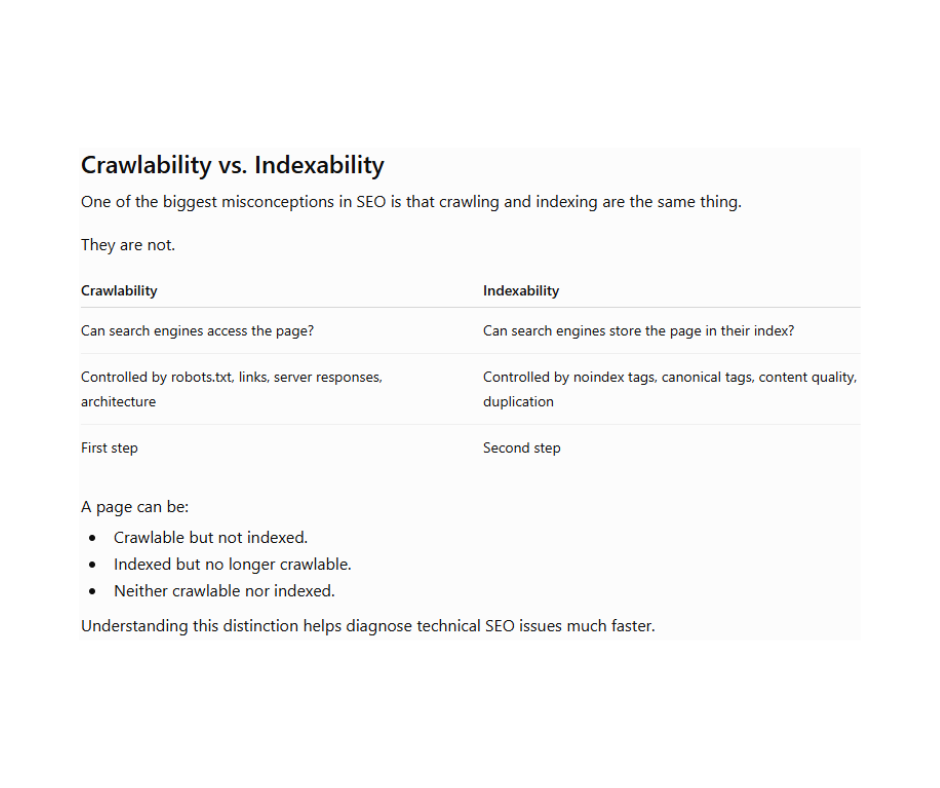
The difference between crawlability and indexability
Common crawlability issues
How to audit and improve crawlability
Best tools to use
A practical crawlability checklist
Whether you're a business owner, SEO professional, or web developer, mastering crawlability is one of the highest-return technical SEO skills you can develop.
What Is Crawlability?
Crawlability is a website's ability to allow search engine bots and AI crawlers to access, navigate, and discover its pages.
Think of your website as a city.
Pages are buildings.
Internal links are roads.
XML sitemaps are maps.
Robots.txt is a traffic controller.
Googlebot is the visitor trying to explore everything.
If roads are blocked or maps are missing, the visitor cannot reach every building.
Exactly the same thing happens online.
Search engines discover pages primarily by following links. If pages are isolated, blocked, or hidden behind technical barriers, they may never be crawled.
Why Crawlability Matters
Without crawling, there is:
No indexing
No rankings
No organic traffic
No visibility in AI search experiences
Crawlability is the very first step in the search pipeline:
Discover
↓
Crawl
↓
Render
↓
Index
↓
Rank
↓
Appear in AI & Search Results
Everything else depends on successful crawling.
How Search Engines Crawl Websites
Search engines don't know your website exists unless they discover it.
Discovery usually happens through:
Internal links
External backlinks
XML sitemaps
Previously indexed pages
URL submissions
RSS feeds (in some cases)
Once a page is discovered, bots request it from your server.
If the page responds successfully, the crawler:
Reads the HTML
Follows links
Collects metadata
Processes structured data
Queues newly discovered URLs for future crawling
This process repeats continuously across billions of pages.
How AI Crawlers Discover Websites
The rise of AI-powered search has introduced a new class of web crawlers.
These crawlers collect web content to power AI-generated answers, retrieval systems, and knowledge bases.
Examples include:
GPTBot (OpenAI)
ClaudeBot (Anthropic)
PerplexityBot
Google-Extended
Bingbot (used by Microsoft Copilot)
Applebot
Bytespider (ByteDance)
Although each crawler has different objectives, they all rely on one essential requirement:
They must be able to access your pages.
If your site blocks these crawlers—or your content is difficult to discover—you may reduce your chances of being referenced in AI-generated responses.
Common Crawlability Problems
1. Blocked by robots.txt
If robots.txt blocks an important directory, crawlers cannot access those pages.
Example:
User-agent: * Disallow: /blog/
This unintentionally blocks every article in the blog.
2. Broken Internal Links
404 errors interrupt crawling.
Bots cannot continue exploring pages that no longer exist.
Regularly audit your internal links.
3. Orphan Pages
Pages with no internal links are often invisible to crawlers unless they're listed in an XML sitemap or linked externally.
4. Redirect Chains
Instead of:
A → B → C → D
Use:
A → D
Long redirect chains waste crawl resources and slow down discovery.
5. Infinite URL Parameters
Examples:
?sort=price ?color=blue ?session=12345
These can create thousands of unnecessary URLs, consuming crawl budget.
6. Slow Server Response
If pages take several seconds to respond, crawlers may request fewer pages during each visit.
Performance and crawl efficiency often go hand in hand.
7. JavaScript-Heavy Websites
Modern JavaScript frameworks can hide content from crawlers if pages aren't rendered properly.
Whenever possible, use server-side rendering, static generation, or ensure important content is available in the initial HTML.
8. Incorrect Canonical Tags
Canonical tags help consolidate duplicate content.
Misconfigured canonicals can confuse crawlers and lead them away from the page you actually want indexed.
What Is Crawl Budget?
Large websites don't receive unlimited crawling.
Search engines allocate a crawl budget, which is the number of URLs they'll crawl within a given period.
Factors influencing crawl budget include:
Website authority
Server health
Site speed
Internal linking
URL quality
Duplicate pages
Error rates
For small websites, crawl budget is rarely a major issue. For large e-commerce sites, publishers, or enterprise platforms with thousands of URLs, managing crawl budget becomes increasingly important.
How to Improve Crawlability
Build a Logical Site Structure
Every important page should be reachable within a few clicks from the homepage.
Improve Internal Linking
Every valuable page should receive internal links from relevant content.
Maintain an Accurate XML Sitemap
Keep your sitemap updated and include only indexable, canonical URLs.
Use Robots.txt Carefully
Block only content that truly shouldn't be crawled.
Remove Broken Links
Regularly fix 404 errors and update outdated URLs.
Improve Website Speed
Fast websites allow crawlers to fetch more pages efficiently.
Keep URLs Clean
Avoid unnecessary parameters, duplicate URLs, and endless filter combinations.
Monitor Server Health
Frequent 5xx errors discourage crawlers from returning regularly.
Crawlability Checklist
Before launching or auditing a website, confirm that:
Robots.txt isn't blocking important pages.
XML sitemap is accessible and up to date.
Important pages are linked internally.
There are no orphan pages.
Broken links are fixed.
Redirect chains are minimized.
Canonical tags are correct.
Pages return a 200 OK status where appropriate.
Website speed is optimized.
Structured data is valid.
Navigation is crawl-friendly.
Important content isn't hidden behind JavaScript alone.
Crawlability in the Age of AI Search
Traditional SEO focused on helping search engines crawl and index websites.
Today, discoverability extends beyond search engines.
AI assistants and answer engines increasingly rely on web crawlers to find, access, and understand online content. While each platform has its own policies and data sources, a technically accessible website is far more likely to be considered than one hidden behind crawl barriers.
That means technical SEO now supports visibility not only in search engine results pages (SERPs) but also in AI-generated answers.
Good crawlability lays the groundwork for both.
Frequently Asked Questions
Is crawlability the same as indexing?
No. Crawlability determines whether bots can access a page, while indexing determines whether the page is stored in a search engine's database.
Does every website need an XML sitemap?
Small websites may still be discovered through internal links, but an XML sitemap helps search engines find important pages more efficiently and is considered a best practice.
Can robots.txt remove a page from Google?
Not necessarily. Blocking a page with robots.txt prevents crawling, but if other signals point to that URL, it may still appear in search results with limited information. Use appropriate indexing controls if you want a page excluded from search.
Does crawl budget matter for every website?
Usually not. Crawl budget becomes a significant concern for very large websites with thousands or millions of URLs.
Final Thoughts
Great SEO begins long before rankings.
It starts by making your website easy to discover, easy to crawl, and easy to understand.
Every optimization you make—whether it's improving internal links, cleaning up redirects, maintaining a sitemap, or fixing server errors—helps search engines and AI crawlers navigate your content more effectively.
Before investing in advanced SEO tactics, ensure your technical foundation is solid. If search engines can't reach your content, they can't rank it—and if AI systems can't access it, they can't reference it.
Crawlability isn't just another technical SEO task. It's the first step toward long-term search visibility.
Continue Your Technical SEO Journey
This article is part of our Complete SEO Checklist series. You may also find these guides useful:
Technical SEO Checklist
What Is Indexability?
The Complete Guide to XML Sitemaps
Robots.txt Explained
Internal Linking Best Practices
Crawl Budget Explained
JavaScript SEO Guide
Canonical Tags Explained
Schema Markup Guide
Core Web Vitals Explained
WHY US
Comprehensive solutions for your marketing needs.
Contact Us
Subscribe Now to Receive Exclusive Marketing Tips and Updates!
Hello@1stopshop4marketing.com
0091 9867000502
© 2026. All rights reserved.